How Does a Regular Crypto Wallet Work?
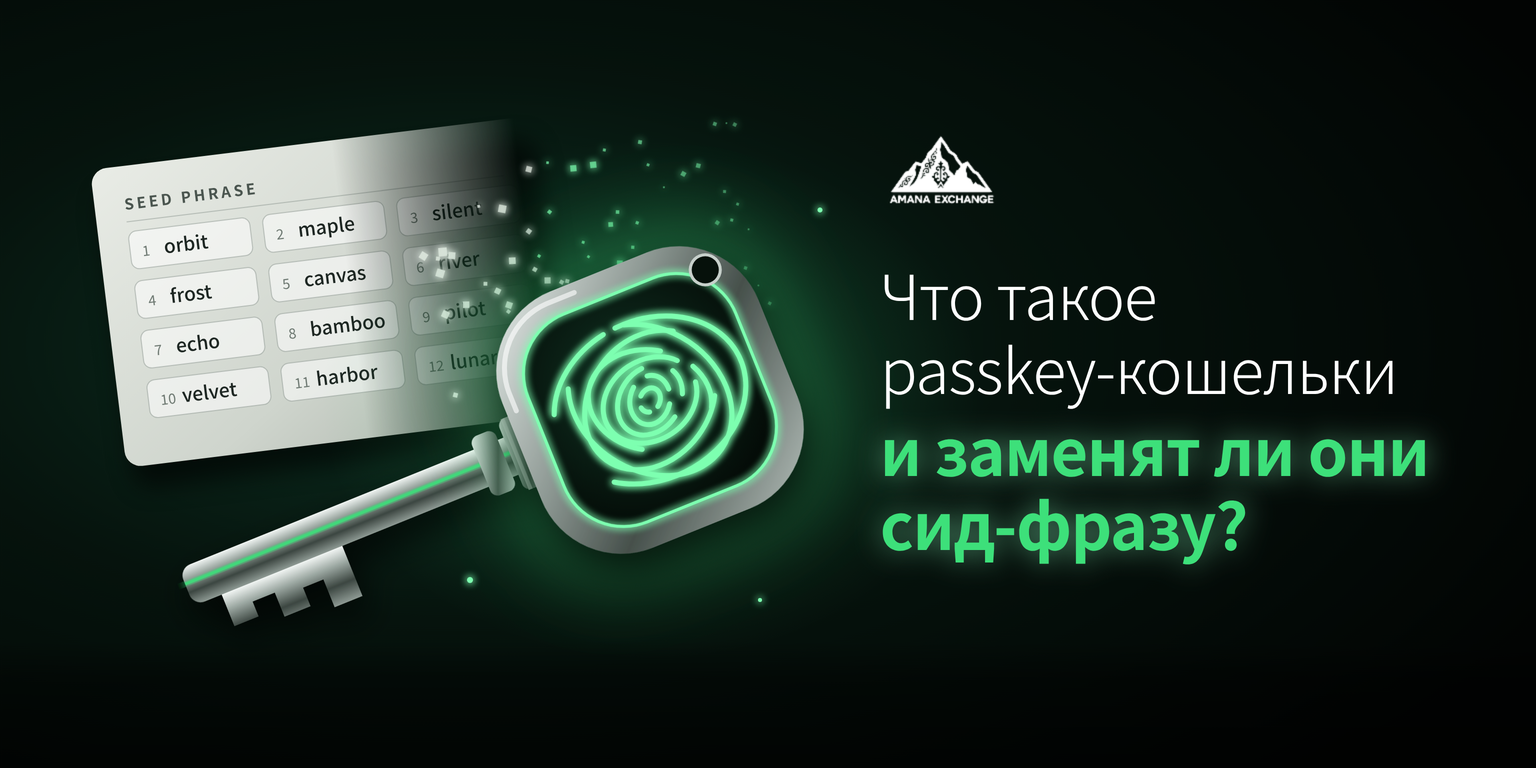
A regular crypto wallet works like a safe with a single key. The safe is an address on the blockchain, and the key is the private key — a secret number used to sign every transfer from that address. A seed phrase is that same key, written as 12 or 24 words so it can be copied down on paper. Whoever knows those words controls the wallet.
You can’t change the key on a safe like this. If there’s any suspicion that someone has seen your words, there’s only one way out: create a new wallet and move all your funds there. The reason lies in how the address itself is built. By default, it can only verify the signature of one key, and there’s no way to add a second key, a limit, or any other rule to it. In 2025, Ethereum gained a way to partially work around this — more on that below.
⚠️ This scheme is over ten years old. It’s reliable under one condition: the owner must flawlessly protect a single secret for many years. For the owner, this means the security of such a wallet boils down to a single question: where are the 12 words stored, and who else might have seen them?
Which Key Is Already on Your Phone?
Your phone already contains another reliable key — a passkey. This is a key created and stored by the phone itself, which the owner unlocks with a face, fingerprint, or PIN. This is exactly how Face ID login works with Google, Apple, or Microsoft. According to the FIDO Alliance, around 5 billion passkeys are in use worldwide, and 75% of people have enabled one on at least one account.
A passkey is tied to a specific website and simply doesn’t work on a fake page, so it can’t be phished the way a password or 12 words can. But it protects the login, specifically. If you yourself approve a harmful operation on a legitimate site, Face ID will sign it.
On exchanges, Face ID login also often works through a passkey. Bybit, for example, uses it for logging in and confirming operations. But on an exchange, it only unlocks the account — the exchange itself holds the crypto, and if you lose your phone, access is restored through support and KYC.
This is the main difference from a wallet. On an exchange, a passkey is a lock on the door, while the exchange holds the safe. In a passkey wallet, the lock is the key to the safe, and there’s no one to “reset the password.”
Why Can’t You Just Open a Wallet With Your Face?
🔌 A phone’s key and a blockchain’s key are built to different signature standards — the rules by which a key places a digital signature and the network verifies it. It’s like a European plug and an American socket: both work, but they don’t fit each other. Phones sign under one standard, while Bitcoin and Ethereum use another. So a regular wallet doesn’t recognize a Face ID signature, and there’s no way to add an adapter to a single-key safe.
If a wallet does offer Face ID login, it means it has an adapter, and most often it comes in one of two forms. In the first case, the blockchain key is split into parts between your phone and the company’s server, and Face ID only unlocks your part. Such wallets also work on Bitcoin, but signing and access recovery depend on how that particular company has set up its scheme. In the second case, the rules are written directly on the blockchain, and that’s a smart account.
🤔 Face ID login on its own doesn’t tell you who controls the funds. You need to find that out in the wallet’s description: who holds the keys or their parts, and whether you can withdraw your money if the developer company disappears.
What Is a Smart Account?
A smart account is a wallet that is itself a smart contract — a program on the blockchain. It stores not a single key, but rules: who approves operations and what to do if someone loses access. This approach is called account abstraction, and its base standard in Ethereum is ERC-4337. Instead of one rigidly fixed key, a smart account keeps a list of signers — keys that are allowed to approve operations.
☁️ This is where the adapter for Face ID appears. The phone creates a passkey, and its public part is recorded in the contract as a signer. A key tied to the secure chip of a single phone can’t be copied, but losing the phone means losing the key. More often, wallets use a synced passkey, stored in encrypted form in iCloud Keychain or Google Password Manager and appearing on all devices with the same account. Such a key survives the loss of a phone, but access to the wallet now also depends on your Apple or Google account, so it needs to be protected as seriously as the 12 words once were.
Signers can be added and changed: a second phone, a hardware key, a trusted person. The lock gets changed without moving to a new wallet, and for the network it’s an ordinary transaction with a fee. According to Banxa, by mid-2026 more than 30 million smart accounts had been deployed on Ethereum and its L2 networks (layers built on top of the main network).
These wallets became possible at scale when Ethereum networks learned to cheaply verify a “phone” signature on their own. L2 networks did this first, and in December 2025, with the Fusaka upgrade, the main network followed. Before that, verification went through expensive workaround contracts, but now a Face ID signature is a standard operation for the network.
Coinbase launched such a wallet in June 2024 under the name Coinbase Smart Wallet, with a passkey as the sole signer and no seed phrase by default. Today it’s a Base account, which you can sign into via a one-time email code, a passkey, or a recovery phrase.
⚠️ A smart account can have several keys, so losing one is no longer the end of the story. There’s just one condition: the second key needs to be added in advance.
What If I Already Have a Wallet?
A regular Ethereum wallet can be “upgraded” to a smart account without moving. This is made possible by EIP-7702 — a standard included in the Pectra upgrade for Ethereum in May 2025. It allows an old address to attach a smart account program to itself. The address and funds stay right where they are, while the wallet gains new conveniences, such as multiple actions in a single transaction or paying fees in a different token.
Returning to the safe analogy, convenient electronics have been built into it, but the lock stays the same. MetaMask notes that after switching, the account is still controlled by the seed phrase, and it still needs to be safeguarded just as carefully.
In MetaMask, the mode is turned on in the account settings with a “Switch” button, and can be turned off the same way. MetaMask offers the switch only within its own interface, so any “update your account” request that arrives via a link doesn’t come from the wallet.
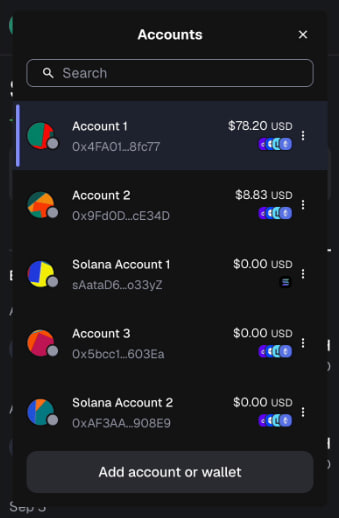
The upgrade makes an old wallet more convenient, but doesn’t free you from the 12 words.
Will the 12 Words Disappear?
No, the 12 words won’t disappear. On Bitcoin, where most of the “old” crypto is held, smart accounts in this form don’t exist, and the network itself can’t verify a phone’s signature.
🚨 What still works there:
▪️ seed phrase
▪️ hardware wallets
▪️ multisig — a scheme in which several keys confirm a single operation
▪️ split-key wallets, discussed above
In newer wallets, the words often stay on as a backup key. In Coinbase, for example, you can generate a recovery phrase to serve as a backup signer, and if the passkey is lost, it lets you link a new one.
The 12 words stop being the only key and become one of several. They still need to be stored just as carefully.
Who Returns the Money if Something Goes Wrong?
It depends on who holds the keys. On an exchange, the funds are held by the company, so it’s the one responsible in the event of a hack. On September 24, 2026, Bitget detected unauthorized transfers from hot and warm wallets totaling roughly $351.6 million. According to CEO Gracy Chen, the private keys weren’t stolen: the attackers tampered with transaction data in the internal system, and the exchange signed them itself. The loss will be covered by a user protection fund of more than $464 million, withdrawals are suspended, and the exchange hasn’t given a timeline for reopening them. The non-custodial Bitget Wallet, according to the company, wasn’t affected because it runs on separate infrastructure.
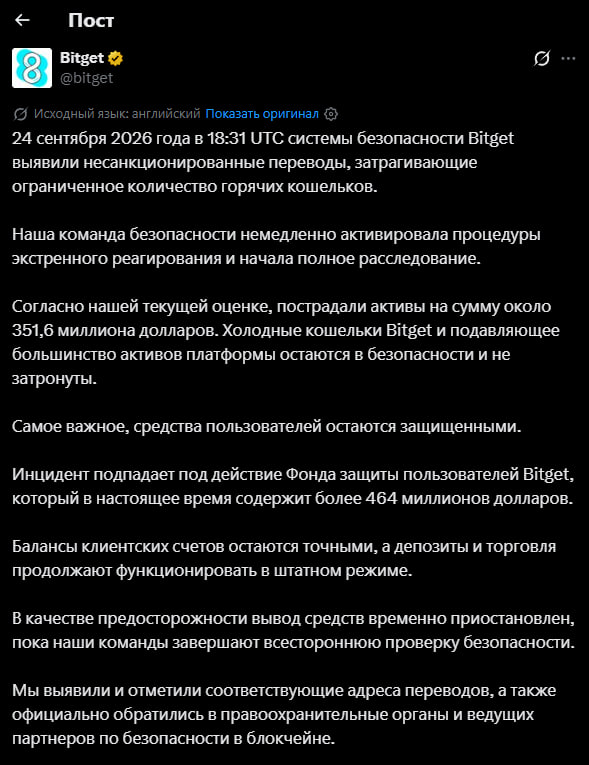
💸 Compensation depends on the reserves of the specific exchange. After its $1.5 billion hack in February 2025, which hit a cold wallet, Bybit closed the gap with bridge loans in about 72 hours. Another exchange might not have that kind of money.
The Bitget case is also useful for owners of their own wallets. The keys stayed intact, yet the money left because the system signed what was slipped to it. A passkey protects against a fake website, but not against your own signature. So before confirming an operation with your face, it’s worth reading what exactly the wallet is asking you to sign, especially if it’s a permission to withdraw tokens.
🏦 On an exchange, you trust a company; in your own wallet, you are your own bank. So before making your first deposit into a passkey wallet, it’s worth doing the following: ✅ add a second sign-in method: a backup passkey, a hardware key, or a recovery phrase ✅ test recovery with a small amount ✅ find out how to withdraw funds if the wallet’s developer company stops operating